tigelon Casino & Sportsbook Mobile App
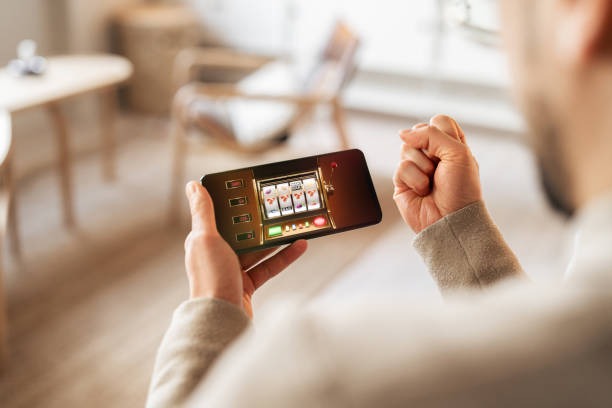
We at tigelon offer a mobile app for Android and a browser-based app for iOS, allowing you to access football betting, live-dealer tables, slot games, and esports markets from your phone. Mobile-first access is essential because most users on tigelon now connect via phone rather than desktop. Our app and browser interface are optimized for fast loading, minimal data consumption, and smooth account login on slower networks typical across Indonesia's regions.

- Update
- Installin
- SHA256 Match
The tigelon app supports deposits via DANA, e-wallet, mobile banking, local payment, online payment, e-wallet, and bank virtual accounts (mobile banking, local payment, online payment, e-wallet). You can log in with your username and password, verify your account once, and then access all tigelon features including Liga 1 betting, live roulette, Aviator slots, and Mobile Legends esports from a single session. Push notifications alert you to bet results, withdrawal confirmations, and platform updates in real time.
This page covers how to install the tigelon app on Android, access tigelon via browser on iOS, complete the setup flow, and troubleshoot common issues. We also explain the differences between app and browser access, device compatibility, and data security on tigelon.
Download tigelon: Android APK, iOS browser, and web access
We at tigelon distribute our Android app via direct APK download (not Google Play, to avoid app store restrictions in some regions). iOS users access tigelon via a mobile browser—Safari on iPhone or Chrome. Web users on desktop or tablet use our browser interface. All three paths—Android app, iOS browser, and web—connect to the same tigelon account and balance.
Install tigelon on Android: step-by-step
-
1
Download the APK fileDownload
On your Android phone, open a browser (Chrome, Firefox) and download the tigelon APK file from our download link; the file saves to your Downloads folder.
-
2
Allow unknown sourcesSettings
Go to Settings → Apps & permissions (or Security) → Unknown sources and enable "Allow apps from unknown sources"; this allows Android to install the tigelon APK from outside Google Play.
-
3
Install the APKInstall
Open your file manager (Files or My Files), navigate to Downloads, tap the tigelon APK file, and tap "Install"; Android installs the tigelon app on your home screen in seconds.
-
4
Launch tigelon and loginStart
Tap the tigelon icon on your home screen; the app opens and prompts you to enter your username and password; after login, you can deposit via DANA, e-wallet, mobile banking, local payment, online payment, e-wallet, or bank VA.

Access tigelon on iOS via browser
We at tigelon do not distribute an iOS app through Apple's App Store because of regional restrictions. Instead, iOS users—on iPhone or iPad—access tigelon by opening Safari or Chrome and navigating to our web address. Your tigelon account works on both iOS browser and Android app; your balance and bets sync automatically. You can bookmark tigelon on your home screen for one-tap access, which mimics an app experience.
To bookmark tigelon on your iOS home screen: open Safari, navigate to tigelon.com, tap the Share icon (square with arrow), select "Add to Home Screen", and name the shortcut "tigelon". The shortcut appears on your home screen and launches tigelon in Safari when you tap it. You can also use Chrome and create a similar shortcut by tapping the menu (three dots) and selecting "Add to Home Screen".
App vs. browser: features and performance on tigelon
Our tigelon Android app offers offline caching—if your internet drops mid-bet, the app may retain your bet history locally and sync when reconnected. Push notifications alert you instantly to bet results, withdrawal confirmations, and promotions; browser users must manually refresh to see updates. The tigelon app also loads slightly faster on slower 3G networks because the app caches images and fonts after your first visit. In contrast, the tigelon browser experience works on any device (Android, iOS, laptop) and requires no installation. Browser users can instantly access tigelon without download delays. For Jakarta, Surabaya, Bandung, Medan, Semarang, and Yogyakarta users with varying network speeds, the tigelon app's offline cache and push notifications provide a smoother experience on unstable connections; browser access is ideal for casual users who visit occasionally.
Device compatibility and tigelon requirements
We at tigelon require Android 7 or later for our APK app; most phones sold in the last five years support this. iOS users need iPhone 12 or later (iOS 15+) for optimal performance, though older iPhones can access tigelon via browser with reduced functionality. For web access on desktop or tablet, any modern browser (Chrome, Firefox, Safari, Edge) works. Your phone's internal storage must have at least 50 megabytes free for the tigelon Android app to install. We recommend a stable WiFi or 4G connection for initial setup and deposits; 3G is acceptable for betting and account checks.
Common install issues and troubleshooting on tigelon
If you encounter "Installation blocked" when installing the tigelon Android APK, verify that "Unknown sources" is enabled in Settings → Apps & permissions → Unknown sources. If tigelon crashes after login, clear the app cache: go to Settings → Apps → tigelon → Storage → Clear cache (not Clear data, which erases your login). If you cannot download the APK, check your phone's storage—delete unused apps or photos to free space. If tigelon runs slowly, close other apps and clear browser cache (on iOS Safari: Settings → Safari → Clear History and Website Data). If you forget your tigelon password, use the "Forgot password" link on the login screen; we'll email a reset link within a few minutes.
Data, permissions, and account security on tigelon
The tigelon Android app requests permission to access your phone's storage (for caching images), camera (for identity verification during KYC), and location (to detect your region and ensure services are available in your jurisdiction). The tigelon app does not access your contacts, messages, or calendar. Your tigelon account credentials are encrypted on your phone; we do not store your password on our servers. When you log in on a public WiFi network, use a VPN if available to encrypt your connection. Your tigelon account supports two-factor authentication (2FA) via SMS; enable 2FA in account settings for extra security. We recommend logging out of tigelon when finished, especially on shared devices. If you suspect unauthorized access, contact our tigelon support team immediately—we can freeze your account pending verification.
tigelon app essentials
- Android app requires Android 7+ and 50 MB storage; iOS users access via Safari browser.
- Download APK directly from our site; enable "Unknown sources" in Settings before installing.
- Deposits available via online payment, e-wallet, mobile banking, local payment, online payment, e-wallet, mobile banking, local payment, online payment, e-wallet.
- Push notifications alert you to bet results, withdrawals, and promotions in real time.
- One tigelon account works on app, iOS browser, and desktop web simultaneously.
Contact tigelon support for app and installation help
If you encounter issues installing or using the tigelon app, our support team is available via live chat (in-app or on tigelon.com), email, or phone. We respond to app installation questions within a few hours during business hours. We also provide guidance on mobile banking scan-and-pay deposits, account verification, withdrawal processing, and Liga 1 betting via the tigelon app. Services are available only where local law permits.